Forcing Step into Error
The Forcing Step into Error feature provides the ability to manually create error on already started step processing.
Problem
In certain cases, a step execution in south systems can end up with some unknown errors without informing the order management system about it.
Solution
Operator can force manually step during execution into error providing all error details.
Manually created error on step behaves in the same way as normal errors. It's visible on UI on order's graph view (as RED step) and in the Errors view.
All error actions are available for it:
- assign error to another person for further investigation or to take some action on it
- retry step execution
- skip step execution
Ways to force step into error
REST Call
A BFF service offers a REST endpoint. See BFF force step into error endpoint for details.
Via GUI
A steps during execution (blue ones) can be also forced into error via GUI by an authorized operator (the force_execution_step_into_error permission is needed).
On order's plan graph view Right-clicking on a step with an EXECUTION (blue) status opens a context menu with the create error option.
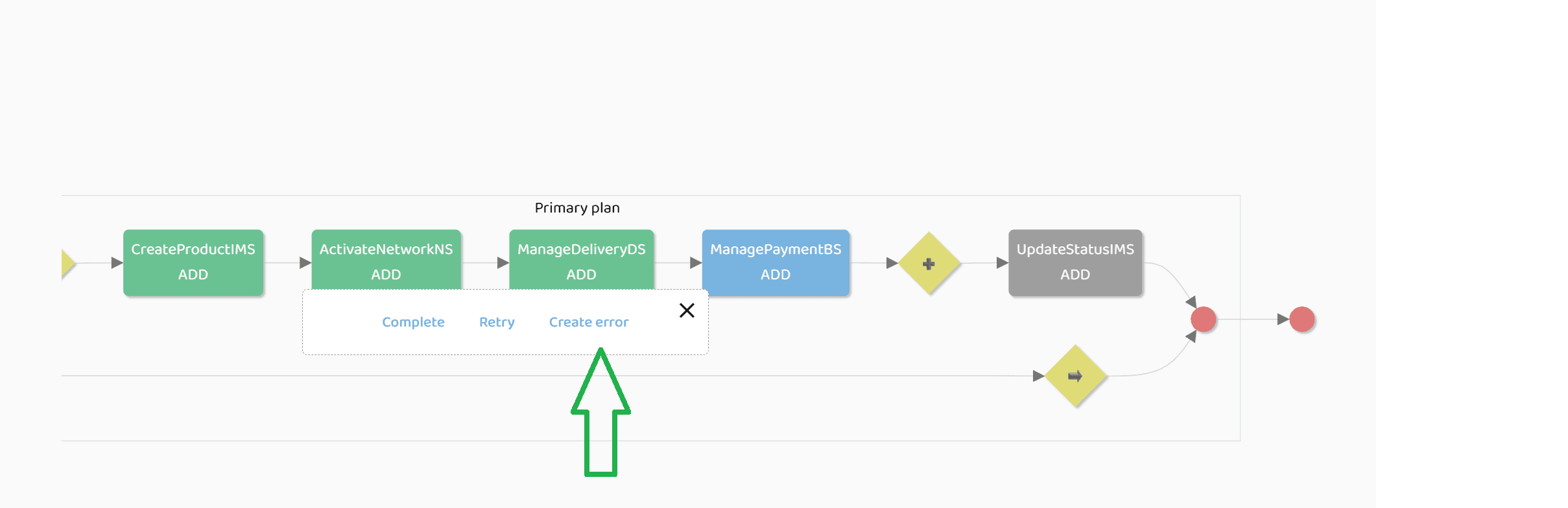
After clicking the button, a dialog shows allowing the operator to fill error details:
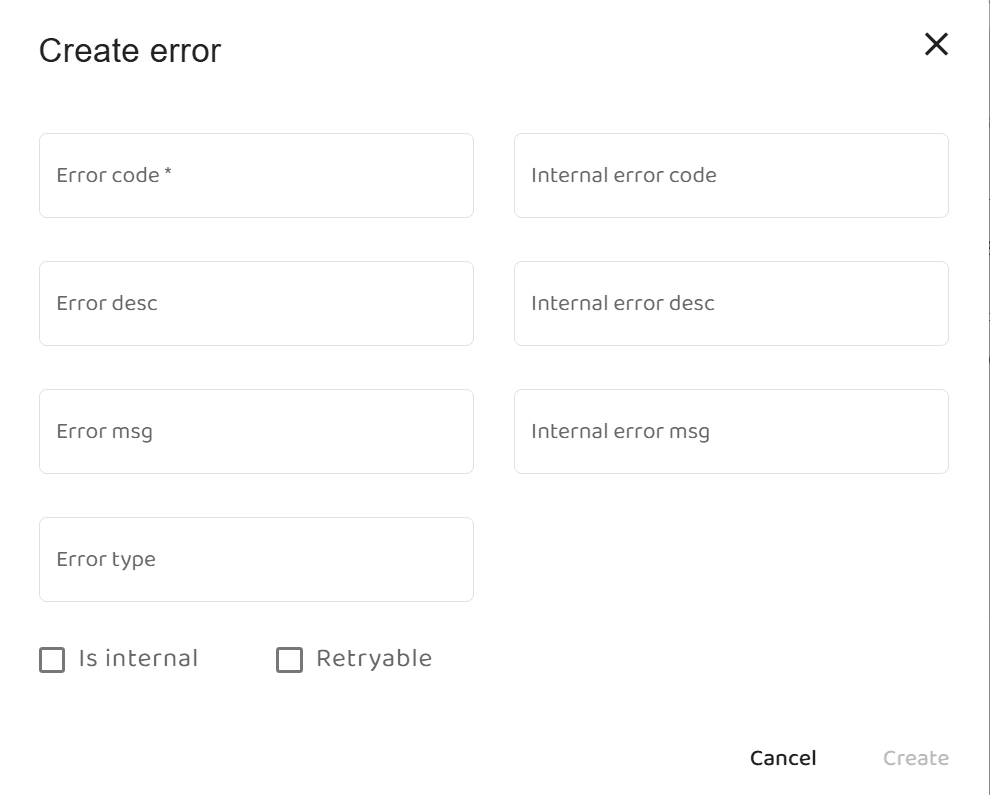
After clicking the create button, error on step will be created.