Dynamic Mapper
The Dynamic Mapper feature is a robust tool that lets you define and manage runtime mappings between heterogeneous data structures.
Introduction
The Problem
Businesses often need a quick, configurable way to translate data between systems—especially while input-output values range are increasing. Traditional release cycles slow this down: every new mapping demands code changes, builds, and deployments.
The Solution: a no‑code approach
Dynamic Mapper externalises mapping definitions to a database. Operators can create or amend input‑to‑output pairs through a web panel or the BFF-API, without rebuilding or redeploying any service.
Supporting Domain
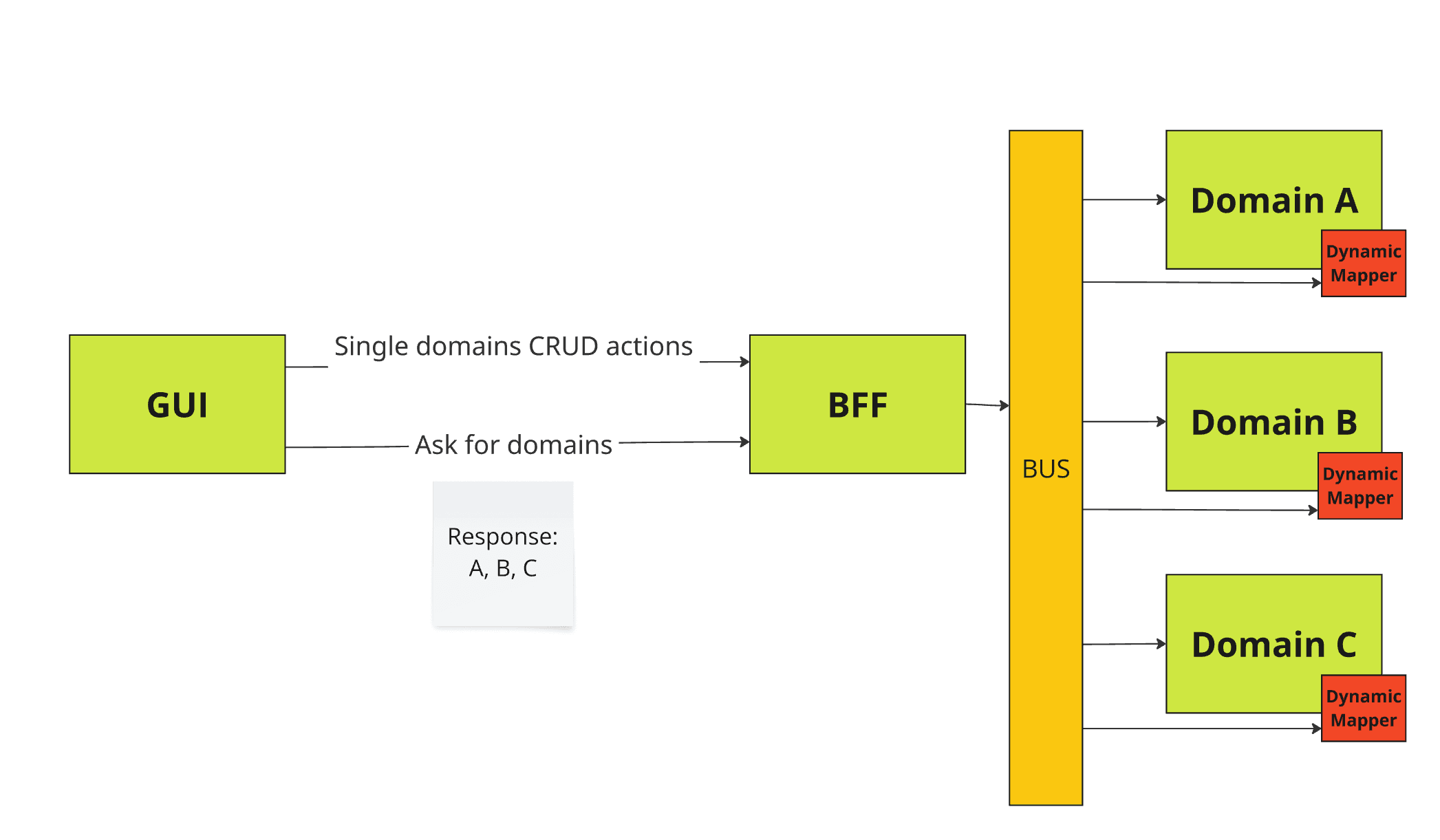
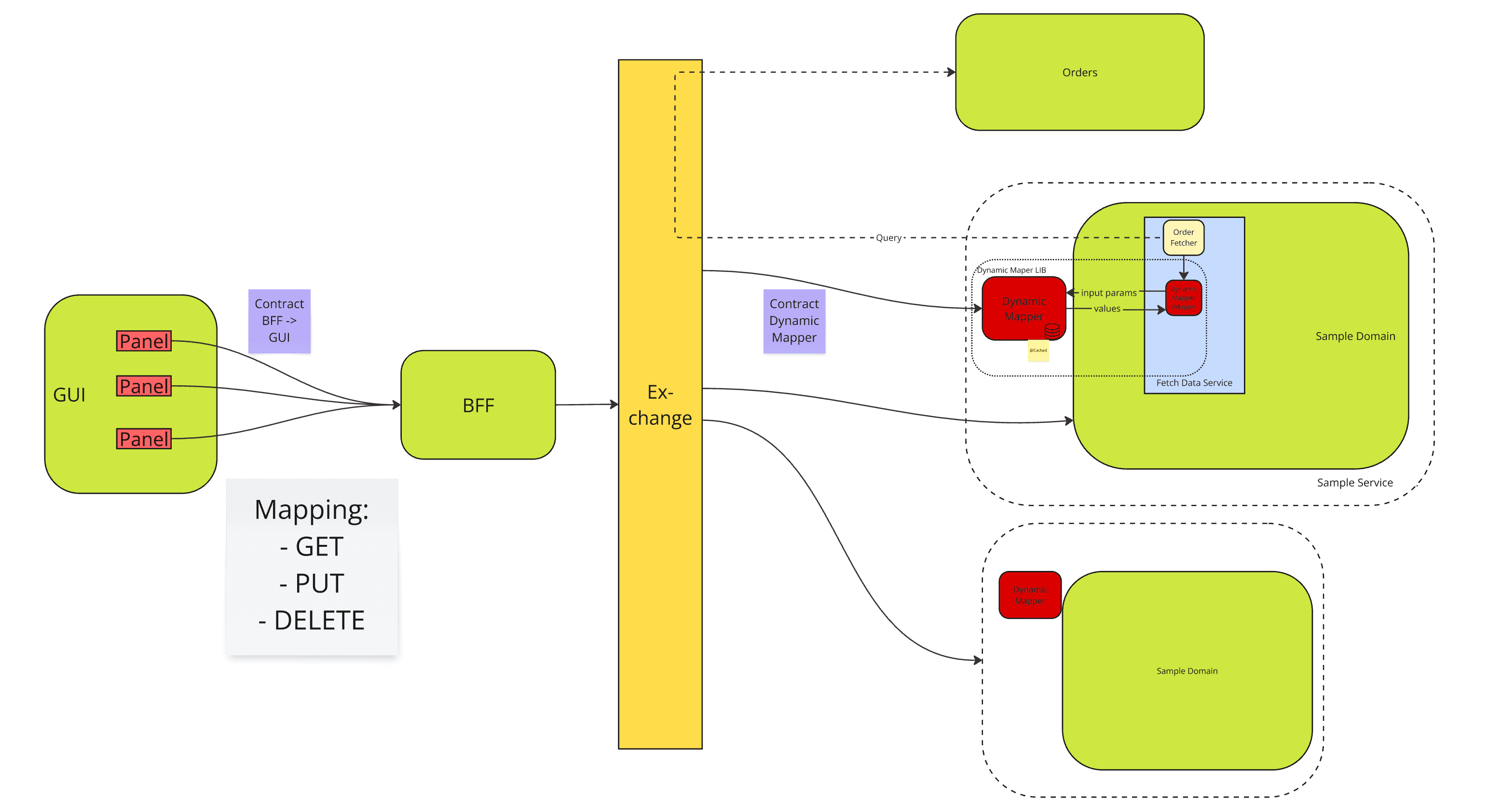
Dynamic Mapper lives in a supporting domain—a dedicated bounded context for cross‑cutting concerns such as logging, monitoring, and (in this case) dynamic mapping. It exposes its own contracts and can be managed independently of core domains.
Multiple Dynamic Mappers
You can spin up any number of Dynamic Mapper instances. Each instance is identified by a unique name, allowing services to route commands and queries to the correct mapper. The list of available mappers is published via BFF service properties; the front‑end uses this list to navigate and configure individual mappers through the BFF-API.
Integrating Dynamic Mapper into a Service
Project setup
Add the library to your build and provide a dedicated database connection for the supporting domain.
Maven
<dependency>
    <groupId>com.sciamus.som</groupId>
    <artifactId>som-lib-dynamic-mapper</artifactId>
    <version>1.3.0</version>
</dependency>
YAML
dynamic-mapper:
  domain: SampleDomainA
  mongodb:
    uri: "mongodb://root:root@mongo:27017/"
    database: som-xxx-sample-domain-a-dynamic-mapper
Spring configuration
@Configuration
@Import({SharedRabbitMQConfig.class, DynamicMapperConfiguration.class})
@Profile("!test")
@EnableMongoRepositories
public class InfrastructureConfig {
}
Using Dynamic Mapper
The supporting domain is registered in the Spring context. Inject DynamicMapper wherever you need runtime mappings—typically when building requests based on order data or external callbacks.
API
public interface DynamicMapper {
    String getValue(String category, String key, String source) throws RuntimeException;
}| Parameter | Description |
|---|---|
category | Mapping group, e.g. provision/product/part or just provision. |
key | Logical key of the mapping. |
source | Value to be translated. |
The method returns the mapped value or throws an exception if the mapping is missing.
Example
In this example, the prepareAddPartRequest method constructs a JSON payload by retrieving two mapping values at runtime: PART_TYPE uses the installedDeviceModel to find the correct mapping entry, while PART_SUBTYPE derives its value by taking the first three characters of the serialNumber. Both calls to dynamicMapper.getValue fetch data from the Dynamic Mapper’s database. If either lookup fails (e.g., no mapping exists for the given input), the method will throw a RuntimeException, ensuring missing mappings are caught immediately during execution.
private Request prepareAddPartRequest(String serialNumber, String installedDeviceModel) {
    request.put("data", new JSONObject()
        .put("AUTHTYPE", "XXX")
        .put("PART_ID", serialNumber)
        .put("PART_TYPE", dynamicMapper.getValue(
                "AddPart/PartType", "installedDeviceModel", installedDeviceModel))
        .put("PART_SUBTYPE", dynamicMapper.getValue(
                "AddPart/PartType", "serialDigits", serialNumber.substring(0, 3)))
    );
}
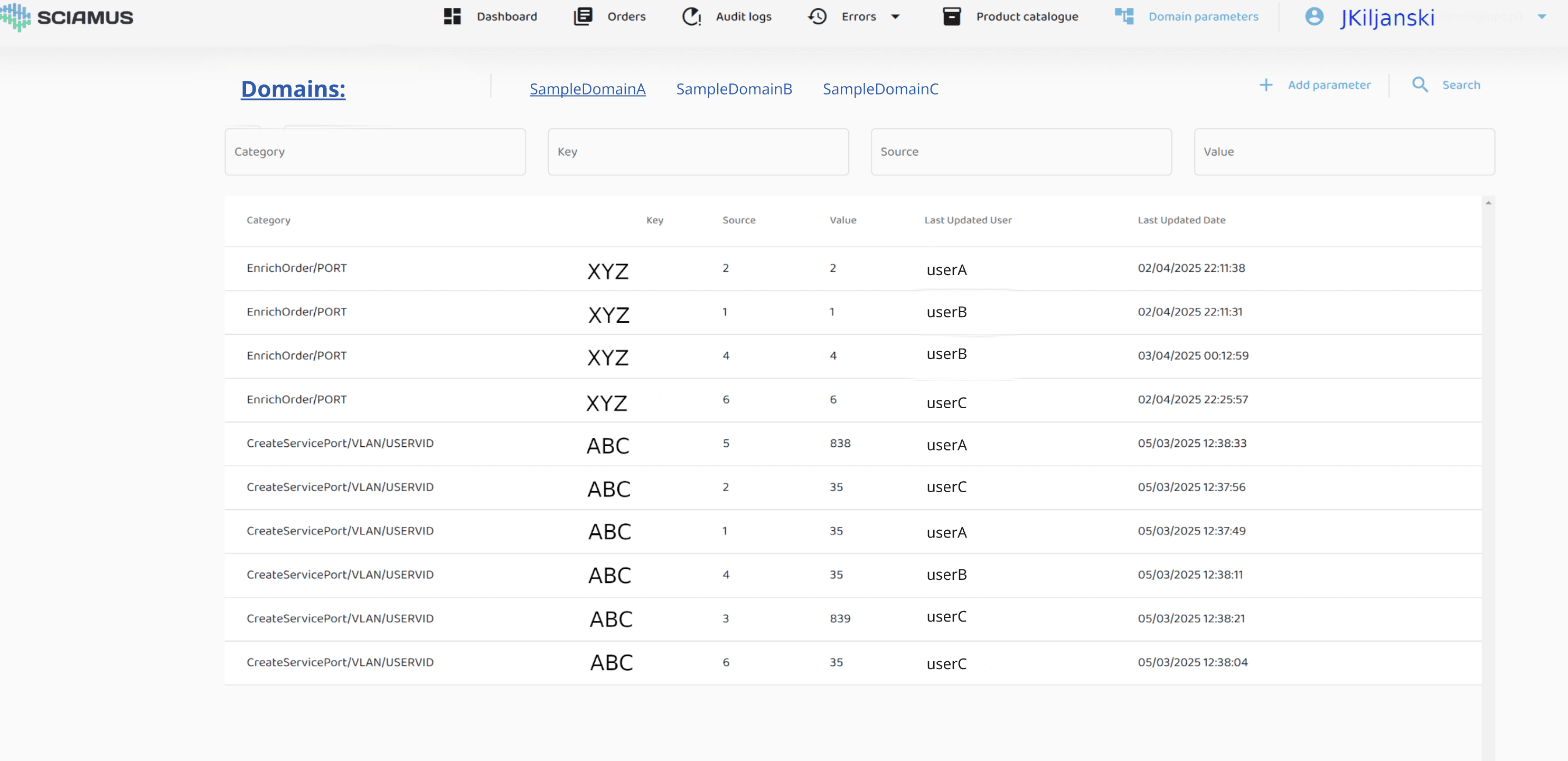
Operator Panel
The panel lets administrators add, edit, or delete mappings for the selected domain. A history of changes is displayed for auditing purposes.